
Why Website Security Matters
Table of Contents
Every day, around 30,000 websites are hacked. And here’s the part that surprises most people: the majority of those aren’t large corporations. They’re local businesses, online shops, and small blogs. Hackers know that smaller sites are often easier targets — owners assume, “I’m too small to get hacked.” That’s exactly why attacks succeed.
If your website goes down, the damage is immediate. Customers can’t reach you. Search engines may blacklist your site. Worse, if personal data is stolen, you risk lawsuits and lasting damage to your reputation.
This is why every WordPress website needs security. WordPress powers over 40% of all websites worldwide, which makes it a prime target. The good news is you don’t need to hire an IT department to stay safe. Instead, you can use a WordPress security plugin.
These tools act like an alarm system for your website. They scan for malware, block hackers, protect logins, and in some cases, even clean your site if it’s infected. But not all plugins are created equal.
In this article, we’ll compare the three best WordPress security plugins in 2025: Wordfence, Sucuri, and MalCare. We’ll explore what each one offers, their strengths and weaknesses, pricing, and who they’re best suited for. By the end, you’ll know exactly which solution makes sense for your business.
Wordfence: The Veteran Defender
Wordfence has been around for years and is one of the most installed WordPress security plugins on the market. It’s a plugin that works directly inside your WordPress dashboard, making it familiar and easy to set up for most site owners.
At its core, Wordfence acts as both a firewall and a malware scanner. It monitors traffic in real time, blocks suspicious IP addresses, and compares your files to the originals in the WordPress repository to detect infections. If it spots something unusual, it alerts you right away.
One of Wordfence’s biggest appeals is its free version. Unlike many plugins that lock down most features, Wordfence gives you a surprisingly robust level of protection without paying a dime. That’s why it’s often the first security plugin new site owners install.
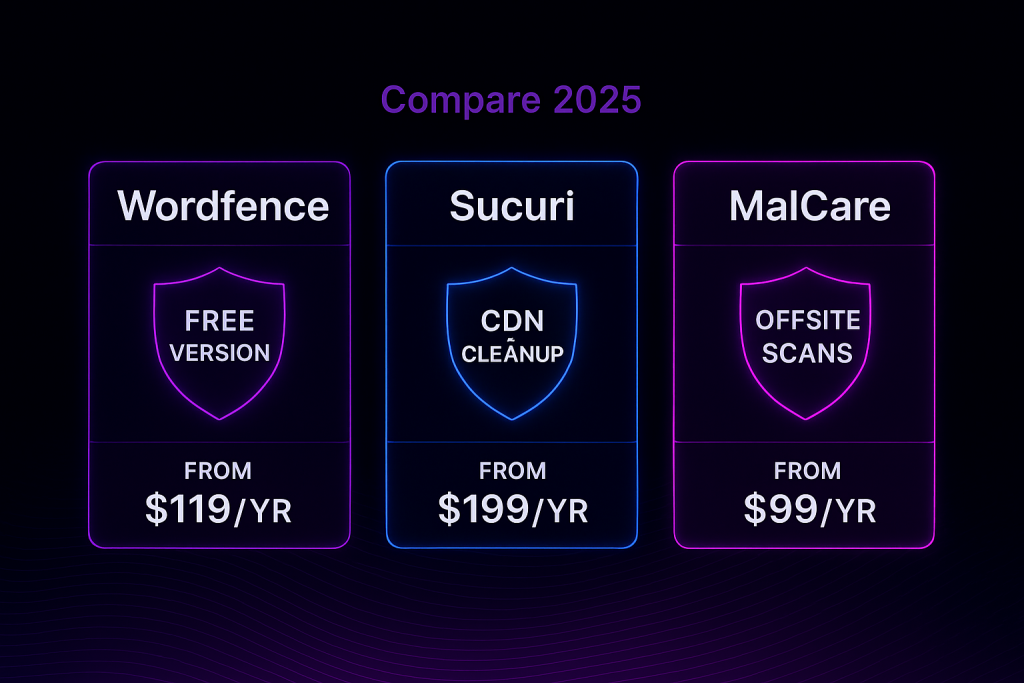
Upgrading to the premium version, priced at $119 per year for one site, unlocks real-time firewall rules, country blocking, spam blacklist checks, and priority support. For many businesses, that’s affordable peace of mind.
But there are trade-offs. Because Wordfence scans run directly on your server, they can consume resources and slow down your site — especially on shared hosting. And while the plugin can repair infected files, full-service malware cleanup isn’t included unless you pay extra for their “Care” plan ($490/year) or emergency response ($490 one-time).
Pros
- Generous free version with firewall and scanning included.
- Premium adds real-time updates, country blocking, and faster support.
- Detailed logging and live traffic viewer for transparency.
- Central dashboard (Wordfence Central) for managing multiple sites.
Cons
- Resource-heavy: scans can slow down your site.
- No professional cleanup included in standard premium.
- Too many email alerts unless tuned carefully.
- No backup system included.
Pricing
- Free version available.
- Premium: $119/year per site (discounts for multiple).
- Wordfence Care: $490/year with hands-on support and malware cleanup.
- Emergency hack cleanup: $490 one-time.
Best For
Business owners who want control, visibility, and strong free protection. Perfect for those comfortable handling alerts and willing to tweak settings.
Not Ideal For
Businesses on cheap hosting or owners who want a hands-off solution. The lack of built-in cleanup means it’s not great if you want experts to step in immediately.
Sucuri: The Professional Bodyguard
If Wordfence is like a guard who lives inside your building, Sucuri is the security company patrolling outside. Instead of running on your server, Sucuri is a cloud-based firewall. You reroute your website’s traffic through their network, where they filter out malicious activity before it ever touches your server.
This approach has two big advantages. First, it’s proactive. Hackers, DDoS attacks, and brute-force attempts are stopped in the cloud, meaning your server doesn’t have to waste resources handling them. Second, Sucuri often makes sites faster, thanks to its built-in content delivery network (CDN). Visitors get cached content from the closest server location, which reduces load times.
But the biggest reason many businesses choose Sucuri is its unlimited malware cleanup guarantee. Every paid plan includes professional, hands-on cleanup by Sucuri’s team if your site ever gets hacked. They’ll remove malicious code, restore your site, and even help get you off Google’s blacklist. For busy business owners, that’s peace of mind that’s hard to put a price on.
The cost is higher, though. Plans start at $199 per year and go up to $499 per year depending on how quickly you want scans and support response. You’ll also need to adjust your DNS settings to route traffic through Sucuri, which can feel technical if you’ve never touched DNS before.
Pros
- Stops attacks before they reach your server.
- Unlimited professional malware cleanup included.
- CDN often improves site performance.
- Strong protection against large-scale DDoS attacks.
Cons
- Higher cost compared to plugin-only options.
- Requires DNS changes to set up.
- Malware scan frequency depends on plan (Basic = every 12 hours).
- No two-factor authentication included in the plugin.
Pricing
- Basic: $199.99/year (12-hour scans, firewall, cleanup).
- Pro: $299.99/year (6-hour scans).
- Business: $499.99/year (30-min scans, faster support).
- Backups: $5/month add-on.
Best For
Businesses that want a completely managed, professional-grade solution. Perfect for e-commerce sites or any website where downtime means lost revenue.
Not Ideal For
Hobby blogs or small sites with no budget. Also not the best choice if you’re uncomfortable updating DNS records.
MalCare: The Modern Problem-Solver
MalCare is the youngest of the three but has quickly made a name for itself. Built by the creators of BlogVault (a trusted backup service), MalCare was designed with one goal: make WordPress security simple and stress-free.
The first big win? MalCare’s offsite scanning. Instead of hogging your server’s resources, it sends encrypted data to its own servers to do the heavy lifting. This means your site stays fast, even during deep scans.
The second win is one-click malware removal. If something malicious is found, you can remove it instantly, without paying extra or waiting on a support ticket. And it’s unlimited. Whether you get hacked once or ten times, the cleanup is included.
MalCare also brings extras like a WordPress-specific firewall, login protection, bot filtering, vulnerability alerts for plugins/themes, and on higher plans, automatic backups. The Plus plan ($149/year) is especially popular because it bundles BlogVault backups, giving you both a security and recovery plan in one.
Where MalCare falls short is at the network level. It doesn’t provide a cloud WAF or CDN like Sucuri, so it can’t block attacks before they reach your server. It also doesn’t currently offer built-in two-factor authentication, though it does include CAPTCHA and brute-force protection.
Pros
- Cloud-based scanning means no slowdown.
- Unlimited one-click malware removal included.
- Easy for non-technical users.
- Backups included on higher plans.
- Great for freelancers: white-label dashboard and multi-site management.
Cons
- No cloud firewall or CDN.
- Premium required for malware cleanup.
- No built-in 2FA.
- WordPress only (not for other CMS platforms).
Pricing
- Basic: $99/year (scans + cleanup + firewall).
- Plus: $149/year (adds BlogVault backups).
- Advanced/Pro: $199–$299/year (real-time backups, uptime monitoring, etc.).
- Bulk discounts available for agencies.
Best For
Small businesses and freelancers who want easy, automatic security and malware removal without worrying about performance.
Not Ideal For
Sites needing DDoS-level protection or a CDN. Also not for those wanting a free cleanup option.
Malcare.com/pricing
Price Comparison: Wordfence, Sucuri, Malcare
Final Thoughts: Which One Should You Choose?
Choosing the right WordPress security plugin comes down to your needs and your budget.
- If you want strong free protection or an affordable upgrade, Wordfence is a solid choice. It’s great for business owners who like control and don’t mind being hands-on.
- If you want a professional team to handle everything, Sucuri is unmatched. The unlimited cleanup guarantee alone makes it worth the higher price for mission-critical sites.
- If you want simple, automatic protection with easy cleanup and no performance trade-offs, MalCare is a fantastic option. It’s especially great for freelancers and agencies.
No matter which one you choose, the most important thing is this: do something. Leaving your site unprotected is an open invitation to hackers. Security isn’t about paranoia — it’s about protecting your customers, your brand, and your livelihood. At Torres Web Designs, we make security a priority from day one. Every website we build comes protected, because we know trust is everything in business.